Extracting Data Efficiently with the Molecule API: Common Recipes
Last updated: July 1, 2026
Most data you'd want out of Molecule — a day's valuations, a range of trades, a trade's fees or legs, a curve for Excel — comes down to a handful of endpoints and a few well-chosen parameters. This is a cookbook of confirmed, copy-pasteable recipes for the pulls customers ask for most, plus the pagination and performance rules that keep them fast. (Pulling everything every day is the usual cause of slow or timed-out extracts.) Not a developer? You don't have to write code — see the PowerQuery recipe for Excel/Power BI and the MCP option for plain-language queries.
Before you start
Authentication. Every request needs two headers — X-Token (your API token) and X-Email (the email of the user the token belongs to):
X-Token: your-api-token
X-Email: you@example.com
Generate a token under Settings → API Keys; the value is shown only once, so store it safely. If you rotate the token, every existing integration using the old one stops working until you update it. See "How to Generate an API Token."
Base path. All v2 endpoints sit under https://app.molecule.io/api/v2/ (EU instance: https://eu.molecule.io/api/v2/). Use v2 — v1 is deprecated. The complete endpoint reference is at developer.molecule.io (password: customer-of-molecule); see "Getting Started with Molecule API" and "API Documentation."
Prefer no code? Skip to Recipe 6 (PowerQuery) to pull data straight into Excel or Power BI, or Recipe 8 (MCP) to ask for data in plain language.
Common recipes
Each recipe is a literal GET; the two auth headers above go on every call.
1. Today's valuation snapshot (the most common pull)
GET /api/v2/valuations?as_of=YYYY-MM-DD&status=unrealized&include=extended
A single as_of (the valuation date) returns just that date's valuations — this is how you avoid pulling every historical date. The status parameter has no default — omit it to return every status. Valid values are unrealized (open, mark-to-market positions), realized, inventoried, rolled_forward, and shadow. Note: open and all are not valid values; passing them returns zero rows. include=extended adds book, counterparty, and custom fields to each row. For a spreadsheet-ready file, append .csv: GET /api/v2/valuations.csv?as_of=YYYY-MM-DD.
There is no as_of=latest shortcut — pass the explicit date you want. (Confirmed: the API treats any non-range as_of value as a literal date.)
2. Trades for a date range
GET /api/v2/trades?trade_date=YYYY-MM-DD..YYYY-MM-DD
Date ranges use two dots and are inclusive on both ends. There is no include=legs parameter. The trade endpoint's valid include values are extended, bilateral, accounting, exchange, option, descriptive, and fx_trade. To pull a trade's legs (the individual delivery/pricing periods of a trade), use the dedicated legs endpoint: GET /api/v2/legs?trade_id=X.
3. Only what's new since yesterday
The API does support a modified-since filter. Filter trades on the updated_at timestamp with a .gt ("greater than") suffix to pull everything edited after a point in time:
GET /api/v2/trades?updated_at=YYYY-MM-DDTHH:MM:SSZ.gt
The suffix can also be .lt, .lteq, or you can pass a start..end range. Because updated_at tracks when a trade was last edited — not its economic trade_date — this does catch edits made to older trades that a trade_date filter would miss. (last_modified_at behaves the same way.) This is the supported approach to change-data-capture; you do not need to snapshot-and-diff.
For point-in-time economic windows (e.g. "trades dated this month"), trade_date is still the right filter. Molecule also keeps full per-trade version history, viewable in the UI on the Audit tab of a trade.
4. Related records for a trade (legs, sublegs, fees, marks, custom fields)
Sublegs:
GET /api/v2/legs/sublegs?trade_id=X— returns thesubleg_idvalues (a subleg is the settlement config that drives how a leg settles); you'll need these before posting actualizations.Fees:
GET /api/v2/fees?trade_id=X— fees are always tied to atrade_id.Marks:
GET /api/v2/marketdata/marks— returns the mark value, curve source, andas_ofdate (a mark is the price used to value a position on a date).Custom field values:
GET /api/v2/custom_field_values?object_type=Trade&object_id=X— read-only for trades via this endpoint.
5. Which ID identifies a trade? mg_id vs Trade ID
This one trips people up, so be deliberate:
Trade ID — the system-generated numeric identifier assigned to every trade on save. It never changes and uniquely identifies one trade. Use it to dedupe, to key your records, and as the
trade_id=Xparameter that links fees, sublegs, and custom-field pulls.mg_id(the API field; shown in the grid as the MG.ID / group column) — a group identifier shared by all trades grouped together. It does not uniquely identify a single trade; multiple trades can carry the samemg_id.
The common mistake is to dedupe "new trades" on mg_id — grouped trades share it, so you'd collapse distinct trades into one. Use Trade ID for uniqueness; reach for mg_id only when you specifically want every trade in the same group.
Trade grouping: MG.ID vs Trade ID
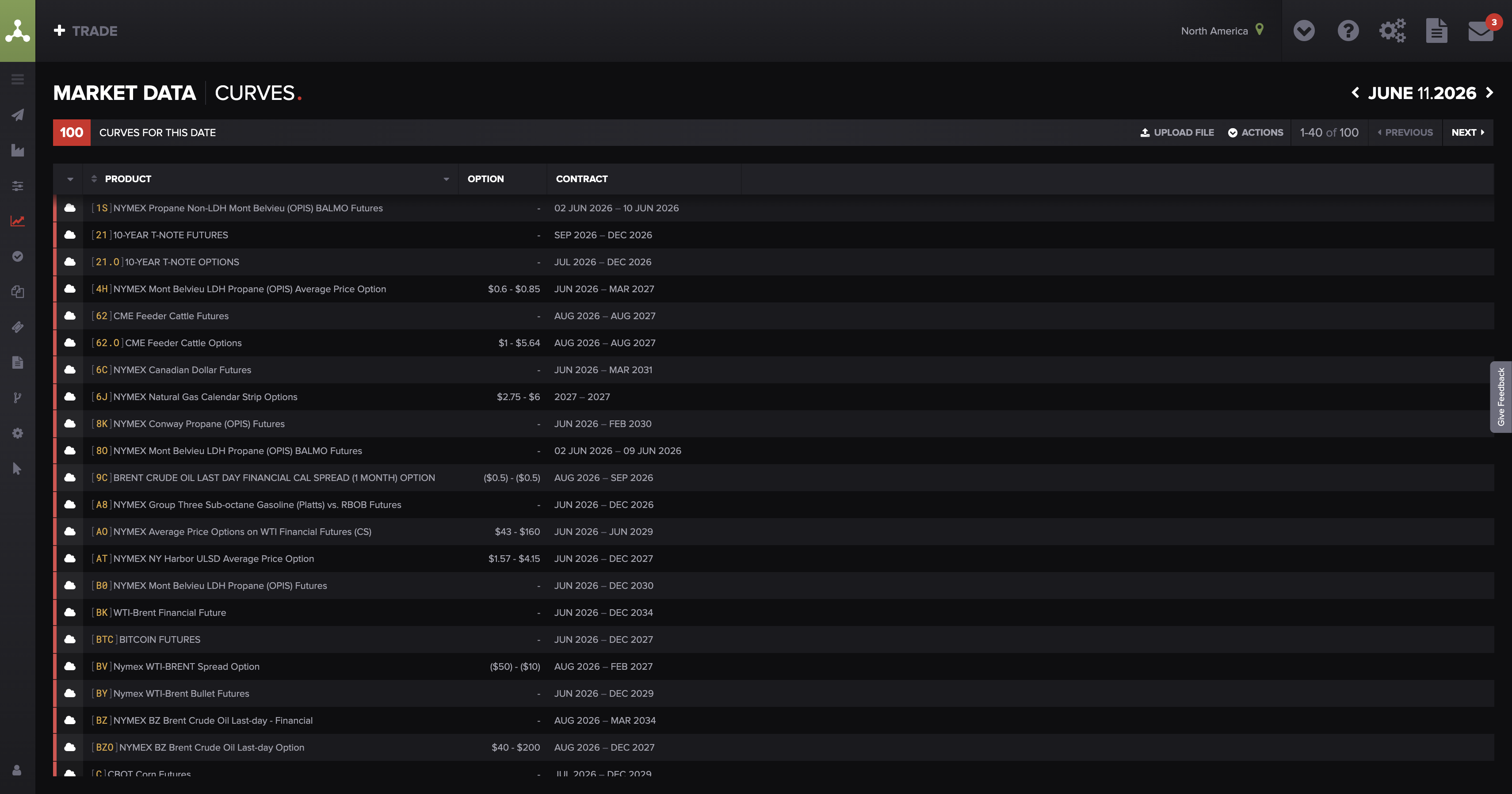
Molecule Market Data → Curves (alpha): the forward-curve grid, one row per product/contract period.
6. Get curves or marks into Excel or Power BI (no code)
The supported no-code path is PowerQuery: connect Excel or Power BI to a Molecule endpoint (such as marks or valuations) and refresh to pull live data — no copy-paste. See "How to Connect Your Spreadsheet" for setup and "Excel PowerQuery / PowerBI & New Columns" for adding or fixing the returned columns.
Pulling data out without code
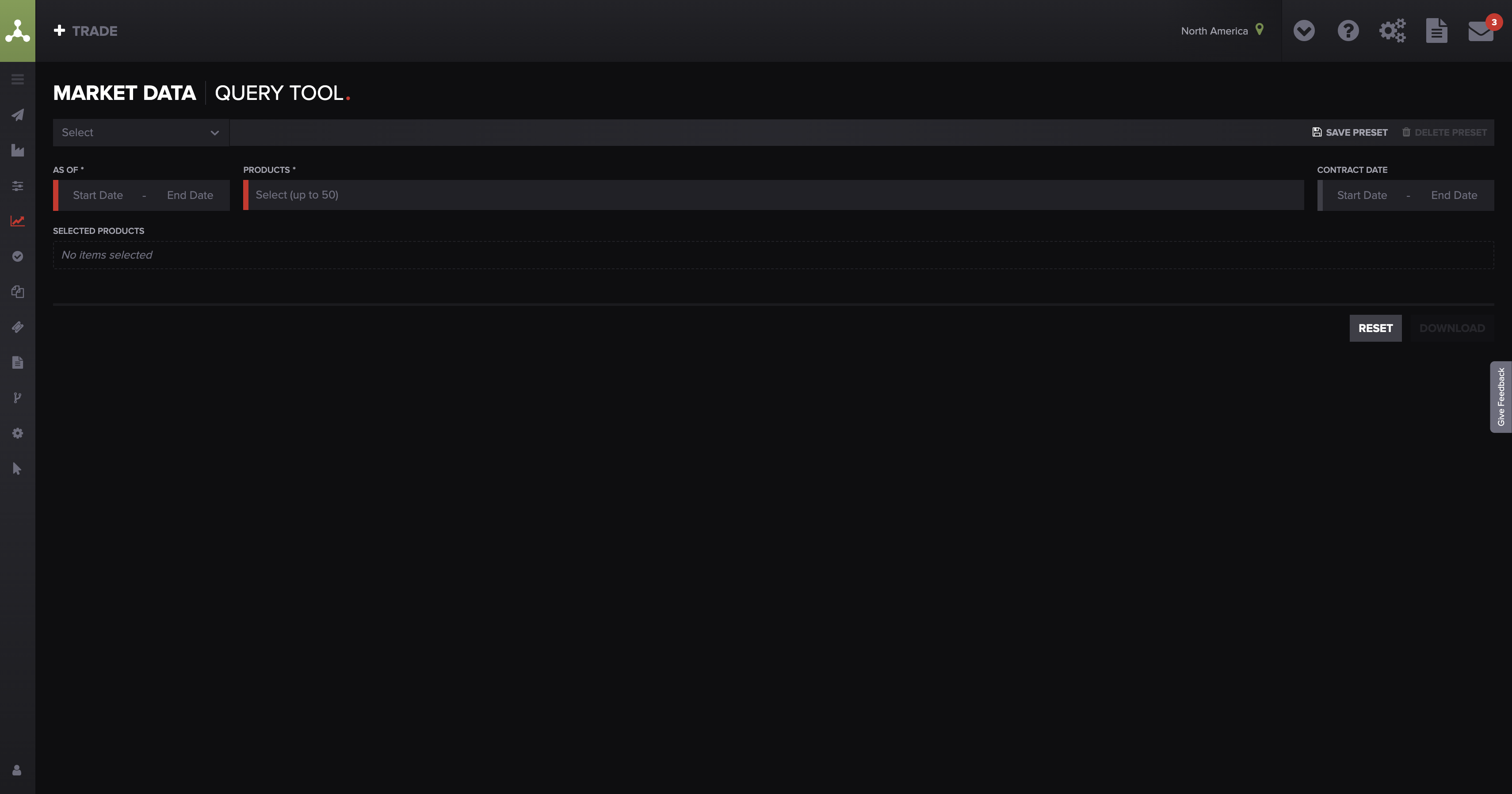
Molecule Market Data → Query Tool (alpha): pick products and a date range, then Download to extract the data — no code.
7. Currency (FX) exposures
GET /api/v2/fx_exposures
The dedicated endpoint for pulling FX exposure. See "How to Use Currency Exposures."
8. "I'd rather just ask in plain language" (MCP)
Molecule's MCP server lets you query your data conversationally instead of hand-building requests. Results are capped per query — check the current limit in the MCP article rather than assuming a number — see "MCP Server Reference & FAQs."
Keep it fast: pagination & performance
Paginate with
pageanditems.pagestarts at 1;itemssets records per page (default 1,000). Every response includesmeta.total_records(the total across all pages) andlinks.next(the URL of the next page) — followlinks.nextrather than building page URLs by hand.items=allis a trap on big pulls. It returns everything in one shot but cannot be combined withpage, and on high-volume endpoints it can return hundreds of megabytes and cause performance problems. Each endpoint also caps page size (for example, Trades at 1,000 and Valuations at 100,000), so large pulls are paged regardless.Chunk large ranges. For big portfolios or multi-year ranges, request smaller date windows (monthly or quarterly) and paginate within each.
Mind request time limits. Large requests time out server-side fast: an
items=allcall has roughly a 25–30-second response window before it times out. Paginated iteration followinglinks.nextkeeps each request small and well under that limit.Pull only what you need. A single
as_ofinstead of all history;include=only the expansions you actually use; a date range instead of the whole book.Rate limits. The API enforces rate limits:
GET /api/v2/*is capped at about 1,200 requests/minute and writes (POST/PUT/PATCH/DELETE) at about 600/minute; exceeding the limit returns HTTP 429 (Too Many Requests). Design for pagination, space your requests (run them sequentially with a short pause rather than in parallel, and schedule large jobs off-peak), and contact support for high-volume or automated use cases.
FAQ
How do I pull only today's valuations?
Use a single as_of date: GET /api/v2/valuations?as_of=YYYY-MM-DD&status=unrealized. A single date returns just that day — don't pass a range, and pass the explicit date (there's no latest shortcut).
How do I get only trades that changed since yesterday?
Filter on updated_at with a .gt timestamp: GET /api/v2/trades?updated_at=YYYY-MM-DDTHH:MM:SSZ.gt. Unlike trade_date (the economic date), updated_at reflects when a trade was last edited, so it does catch edits to older trades. last_modified_at behaves the same way. Use trade_date only when you want an economic-date window.
What's the difference between the Trade ID and the MG.ID?
Trade ID is unique to one trade and never changes — dedupe and key on it. mg_id (the MG.ID column) is a shared group identifier, so several trades can have the same value; use it only to find trades in the same group.
My extract times out or is huge — what am I doing wrong?
Almost always an items=all call over a big endpoint or a wide date range. Switch to paginating via links.next, chunk the date range by month or quarter, and request only the fields and dates you need.
How do I get curves into Excel without coding?
Use a PowerQuery connection (see "How to Connect Your Spreadsheet") and click Refresh to update — no code required. If you'd rather ask in plain language, the MCP option works too.
Is there a rate limit?
Yes. GET /api/v2/* is limited to about 1,200 requests/minute and writes (POST/PUT/PATCH/DELETE) to about 600/minute; going over returns HTTP 429 (Too Many Requests). Design your integration around pagination, space out requests and run large jobs off-peak, and reach out to support for high-volume or automated needs.
Related articles
Editor: hyperlink each of these to its help.molecule.io article before publishing (URLs to be confirmed once web access is restored).
If you're still stuck after the checklist above, contact support@molecule.io with the details listed in "If none of these explain it."