How to Enter Broker Information
Last updated: May 13, 2026
You can enter broker information as you enter a new trade.
Enter a New Trade
First, enter a trade into the system using the + TRADE icon in the left‑hand corner.

Open the More Menu
Once you've entered your trade information, open the MORE drop-down menu.

Select or Search For the Broker
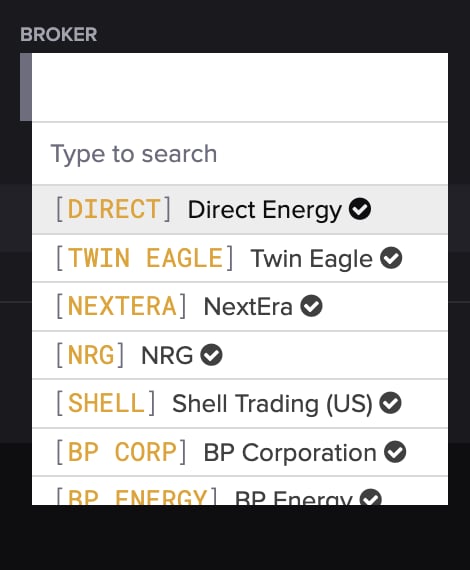
Select or search for the company in the BROKER field from the drop-down menu.
Save the Trade
When you're finished, press SAVE.
If you'd like to add a new broker, you can do so on the Counterparties screen.