# How to Enter Broker Information

You can enter broker information as you enter a new trade.&#x20;

First, enter a trade into the system using the **+ TRADE** icon in the left-hand corner.&#x20;

<figure><img src="https://files.helpdocs.io/56bu62syz9/articles/int3ikb6ut/1689265037617/file-74-m-gpd-9-o-7-t.png" alt=""><figcaption></figcaption></figure>

Once you've entered your trade information, you can enter broker information by selecting the **MORE** drop-down menu.&#x20;

<figure><img src="https://files.helpdocs.io/56bu62syz9/articles/int3ikb6ut/1689265037851/file-xjg-kf-3-wywe.png" alt=""><figcaption></figcaption></figure>

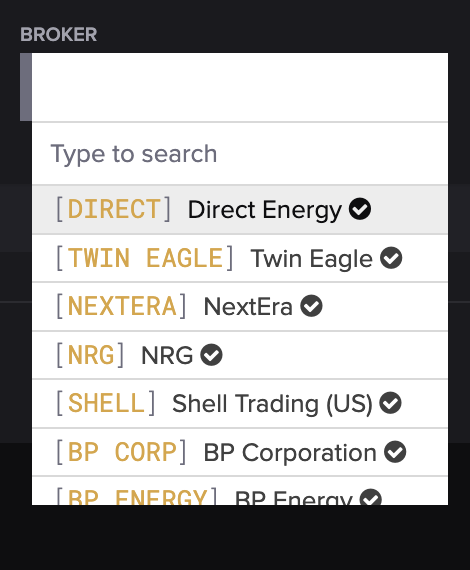
Next, you can select or search for the company in the **BROKER** field from the drop-down menu.&#x20;

<figure><img src="https://files.helpdocs.io/56bu62syz9/articles/int3ikb6ut/1689265038068/file-xr-pm-tay-w-1-a.png" alt="" width="375"><figcaption></figcaption></figure>

When you're finished, press **SAVE**.&#x20;

<figure><img src="https://files.helpdocs.io/56bu62syz9/articles/int3ikb6ut/1689265038277/file-fge-b-7-b-awe-h.png" alt=""><figcaption></figcaption></figure>

If you'd like to add a new broker, you can do so on the Counterparties screen.