# Trade Locking
Trade Locking is an important compliance feature in Molecule.
#### Definitions
When a trade is locked, it **cannot** be:
* edited from the Trade Edit screen
* edited as part of a batch from the Trades screen
* edited in-grid on the Trades screen
* changed via the API
A locked trade **can** be:
* Delivered against (via a Ticket)
* Actualized (via the Actualization screen, a Ticket, or As-Generated functionality)
A frequent reason for a bulk or in-grid edit on the Trades screen to fail, is that the relevant trades are locked.
#### Actions
**Locking**
A trade can be locked in any of these ways:
* Manually, from the Trades or Trade Edit screen (by someone with the right permission)
* Automatically, based on a time of day set for your Account
* Automatically, based on the electronic source of the trade
If a lock time is set for your Account, any unlocked trades will re-lock at that time.
#### Unlocking
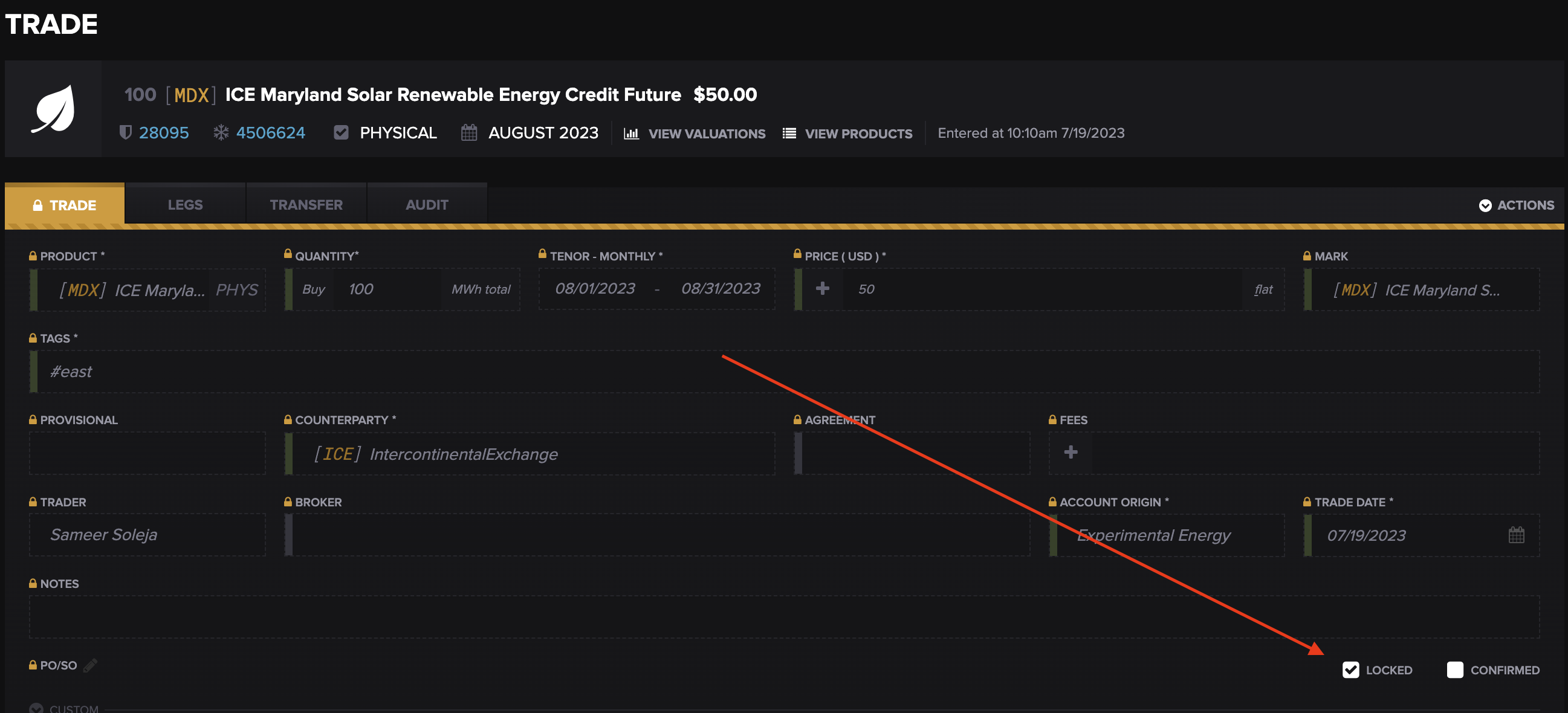
A trade can be unlocked manually from the Trade Edit screen:
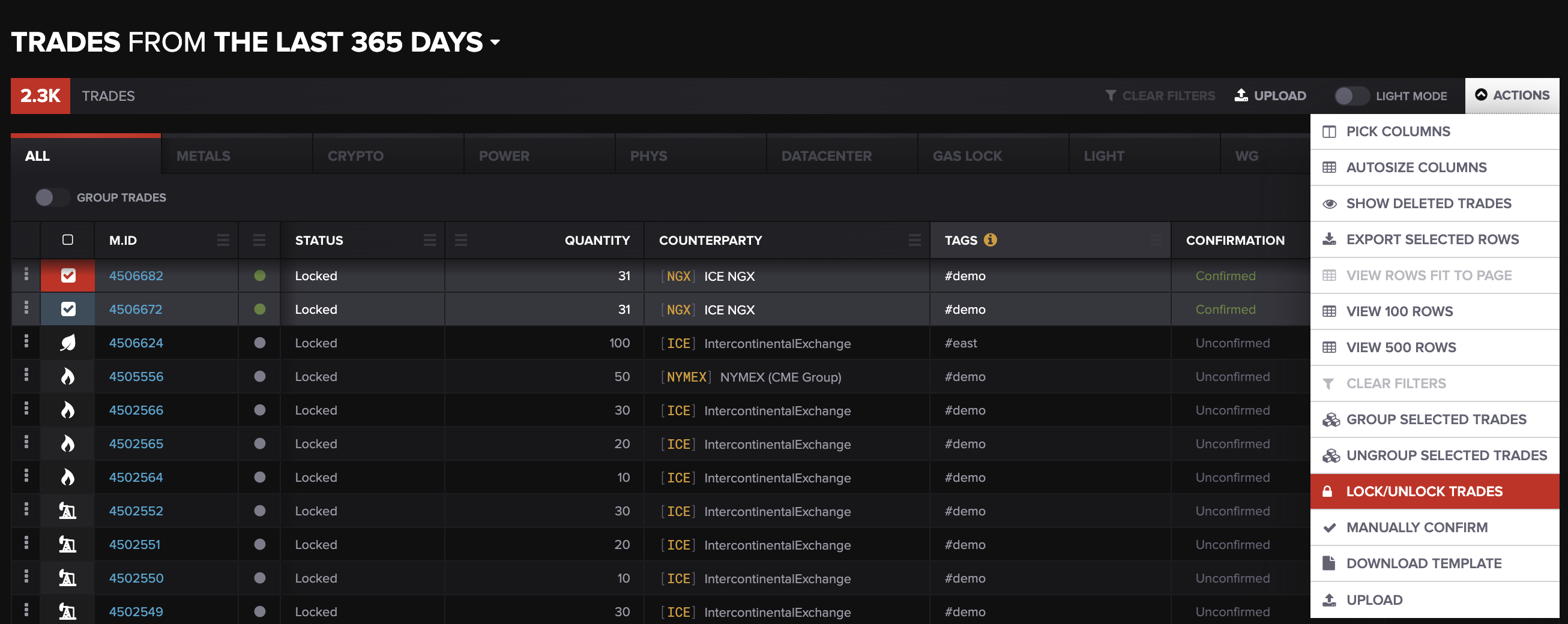
Alternatively, one or more trades can be unlocked in a batch, from the Trades screen:
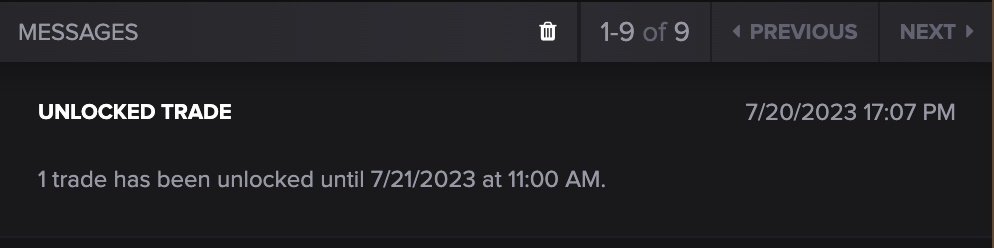
When a trade is unlocked, its Trader will receive an in-app notification that the trade is unlocked for editing:
#### Viewing Status
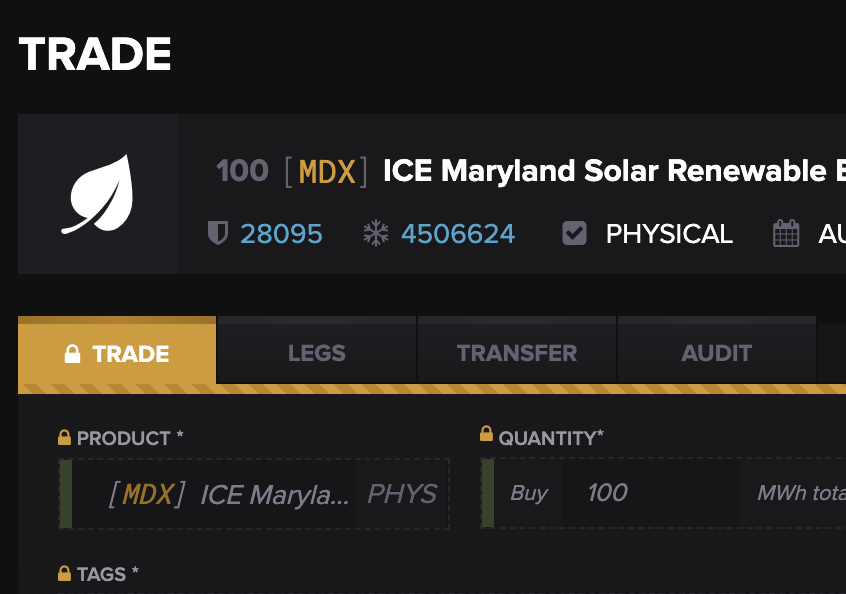
On the Trades screen, the Status column will read `Locked` for locked trades. This column is the same on the API. On a Trade Edit screen, a yellow lock will appear in multiple places, and the header makes clear that the trade is locked:
#### Interactions
The Workflows feature is a more advanced, customizable compliance feature in Molecule. Locking or unlocking a trade can trigger a Workflow status change. This is managed on the Workflows screen.
#### Permissions
The permission that controls locking and unlocking is `Edit Trade Status`.
#### Setup
Molecule’s Customer Success team is able to set up the locking feature, as well as the criteria that should trigger automatic locking.
---
# Agent Instructions: Querying This Documentation
If you need additional information that is not directly available in this page, you can query the documentation dynamically by asking a question.
Perform an HTTP GET request on the current page URL with the `ask` query parameter:
```
GET https://help.molecule.io/core-functionality/core-features/specialized-features/trades/trade-workflows/trade-locking.md?ask=
```
The question should be specific, self-contained, and written in natural language.
The response will contain a direct answer to the question and relevant excerpts and sources from the documentation.
Use this mechanism when the answer is not explicitly present in the current page, you need clarification or additional context, or you want to retrieve related documentation sections.