# How to Lock/Unlock Trades

Only designated users with the "Edit Trade Status" permission can lock and unlock trades. The Molecule system may also automatically lock trades based on the time of day and where the trade originated (i.e., an electronic platform).

First, go to the **TRADES** screen.

<div align="center"><figure><img src="https://files.helpdocs.io/56bu62syz9/articles/7ho35k3grk/1689265045338/file-rr-tle-1-vqhj.png" alt="" width="375"><figcaption></figcaption></figure></div>

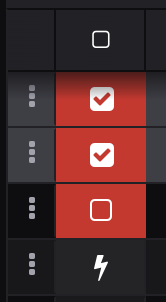
If necessary, [filter the trades](https://help.molecule.io/core-functionality/core-features/specialized-features/trades/trades-screen/5-things-you-can-do-on-the-trades-screen) you need to update - otherwise, hover your mouse over the commodity icon and check the boxes you want to lock/unlock.

<div align="center"><figure><img src="https://files.helpdocs.io/56bu62syz9/articles/7ho35k3grk/1689265045581/file-sj-pkk-6-sc-bw.png" alt="" width="375"><figcaption></figcaption></figure></div>

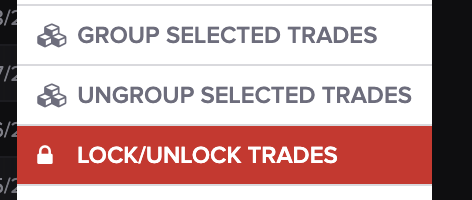
Once your trades have been selected, click the **ACTIONS** drop-down menu on the left-hand side and scroll down to **LOCK/UNLOCK TRADES.**

<div align="center"><figure><img src="https://files.helpdocs.io/56bu62syz9/articles/7ho35k3grk/1689265045798/file-icsh-mt-igrm.png" alt="" width="375"><figcaption></figcaption></figure></div>

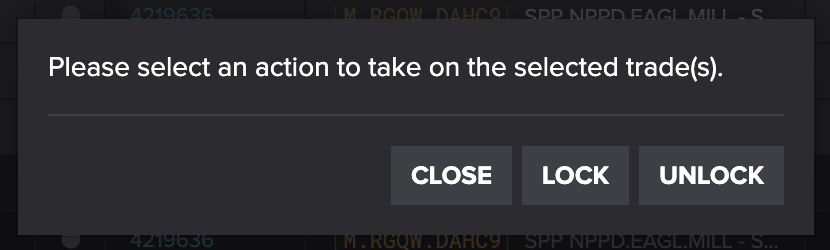
This screen should auto-populate:

<div align="center"><figure><img src="https://files.helpdocs.io/56bu62syz9/articles/7ho35k3grk/1689265046014/file-yg-zd-6-cra-wc.png" alt="" width="563"><figcaption></figcaption></figure></div>

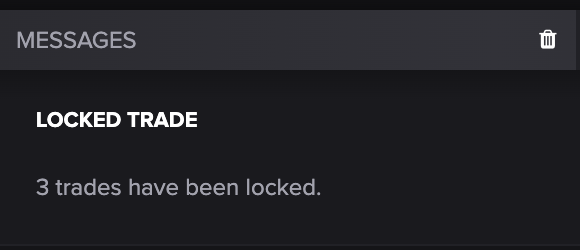
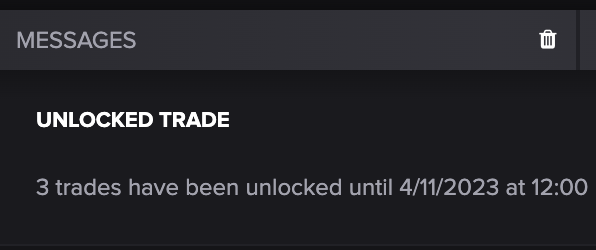
You should receive a confirmation message once trades have been locked/unlocked.

<div align="center"><figure><img src="https://files.helpdocs.io/56bu62syz9/articles/7ho35k3grk/1689265046293/file-q-ikmt-q-1-oa-8.png" alt="" width="563"><figcaption></figcaption></figure></div>

<div align="center"><figure><img src="https://files.helpdocs.io/56bu62syz9/articles/7ho35k3grk/1689265046528/file-s-5-cs-po-nhl-f.png" alt="" width="563"><figcaption></figcaption></figure></div>

Clear trade messages once you've read them so there's no confusion with future locked/unlocked trades.