# How to Update Your Spreadsheet's Molecule Credentials
If you need to update a spreadsheet connected to Molecule's API with new credentials, follow the instructions below.
#### Method 1
The easiest method is to update an existing spreadsheet after your Molecule password, or API token has been changed.
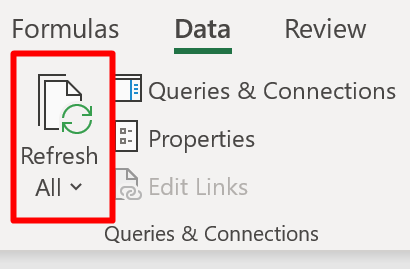
Open your spreadsheet and click **Refresh All** on the **Data** tab:
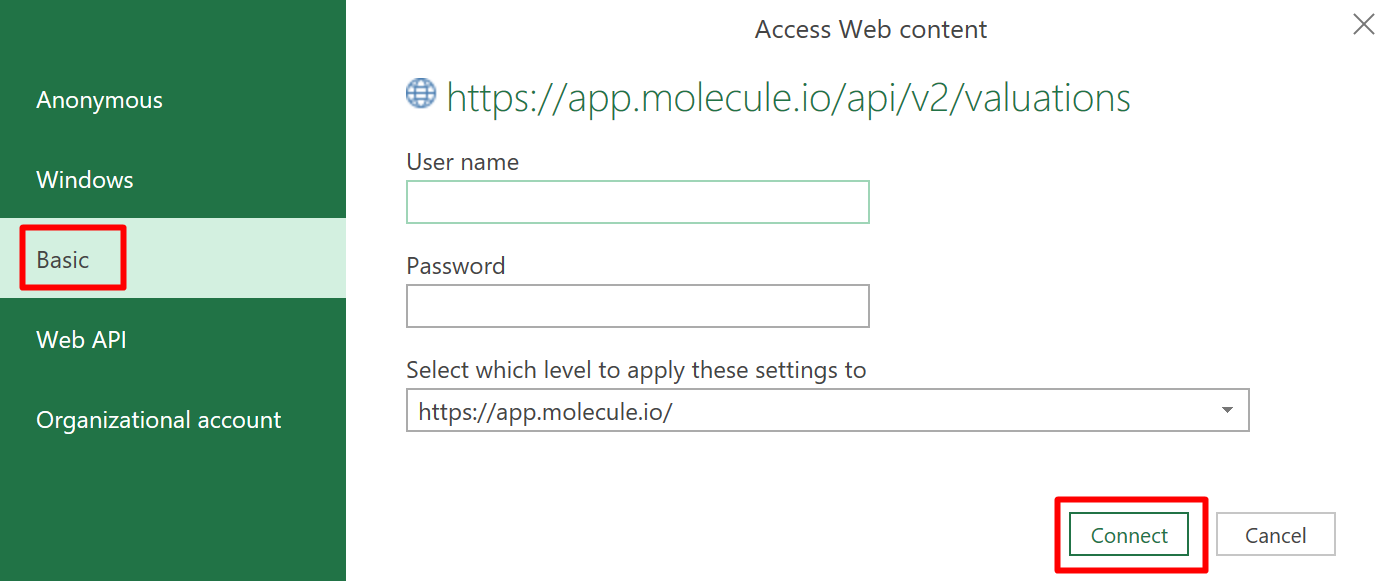
Upon being prompted for new credentials, select **Basic** in the sidebar navigation, enter your email address and Molecule API token, then click **Connect**. If you need help generating a Molecule API token, follow the instructions [here](https://help.molecule.io/integrations-and-apis/integrations-guide/getting-started-with-molecule-api/how-to-generate-an-api-token) or [here](https://developer.molecule.io/docs/authentication):
#### Method 2
This method describes how to edit the credentials connected to Molecule's API via spreadsheet.
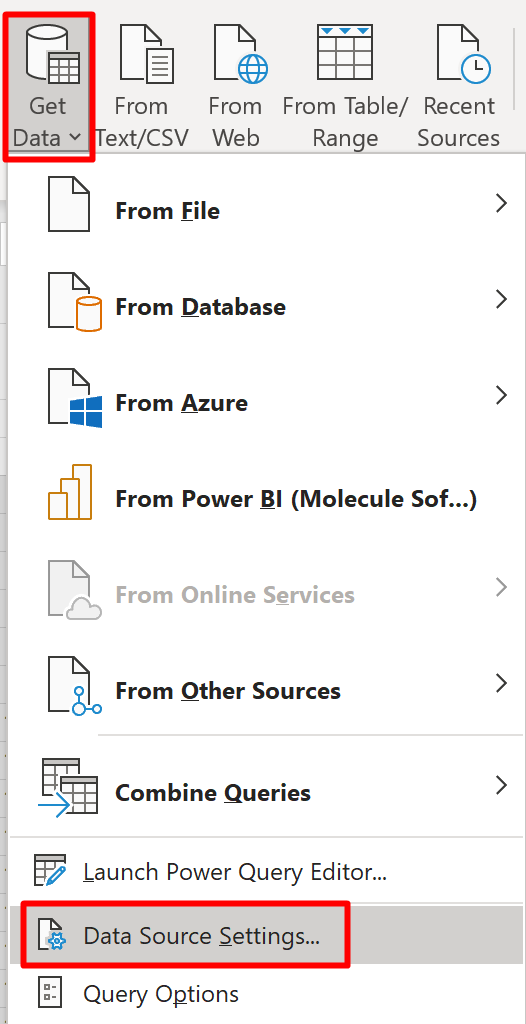
Open your spreadsheet and navigate to the **Data** tab. Choose **Get Data** > **Data Source Settings:**
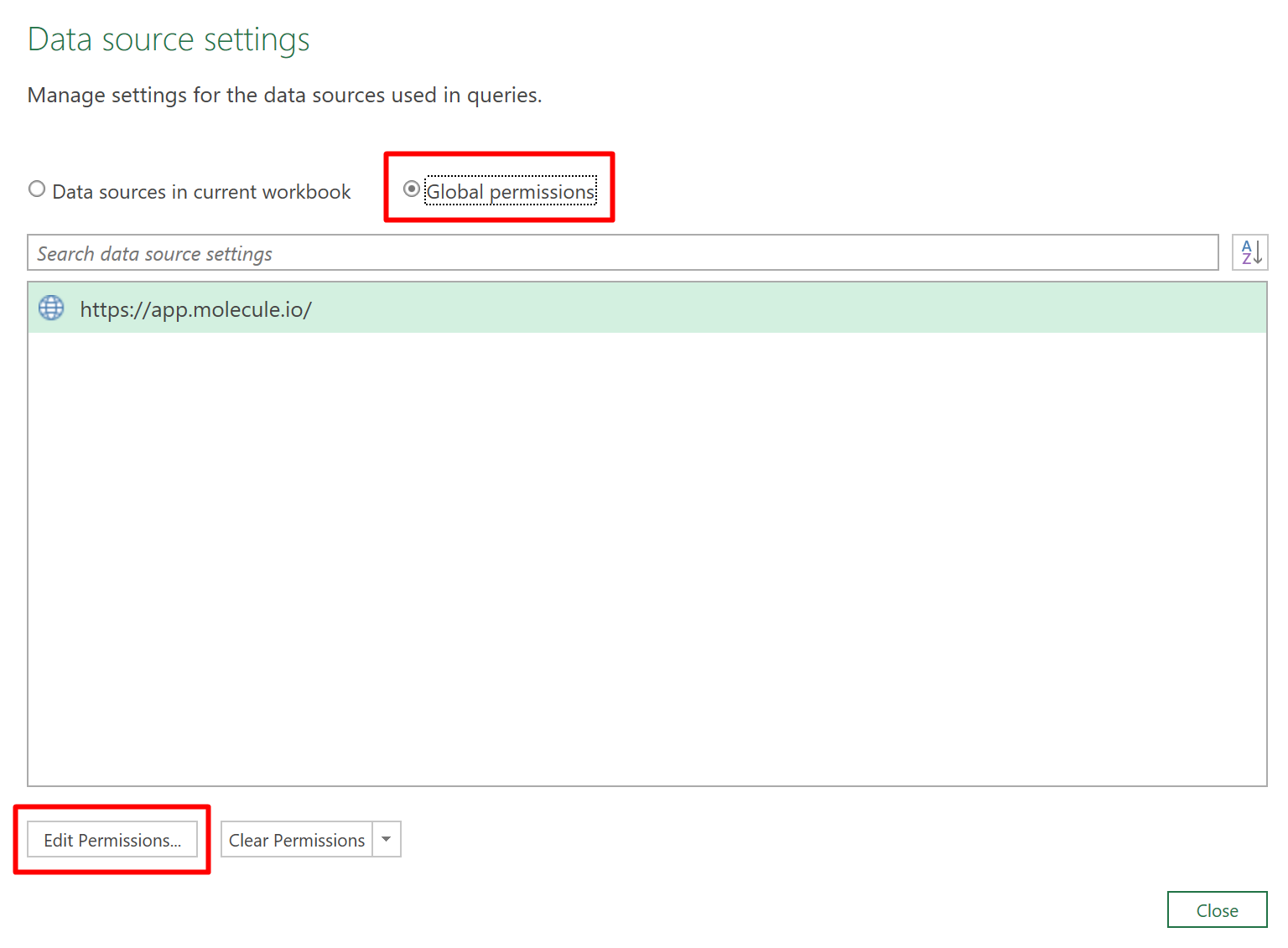
On the resulting popup, select the **Global permissions** radio button and click **Edit Permissions:**
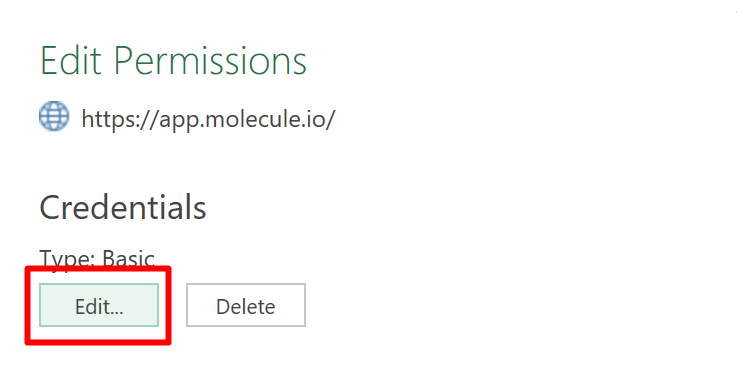
On the resulting popup, select **Edit:**
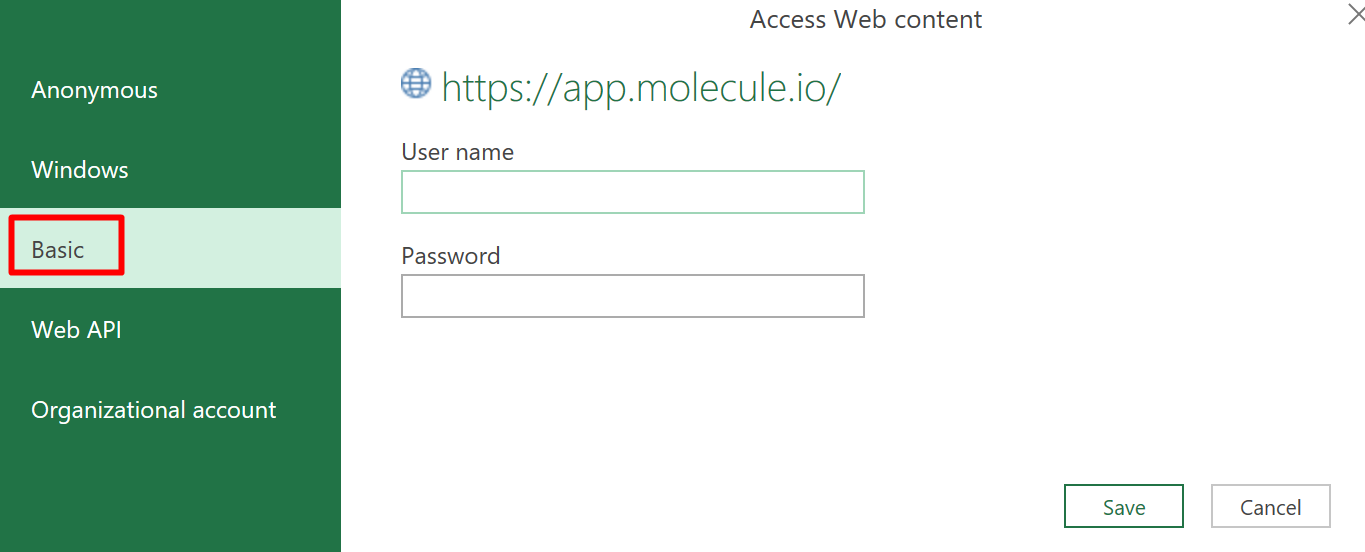
On the resulting popup, make sure that **Basic** is selected in the sidebar navigation. enter your email address and Molecule API token, and click **Save**. Click **OK** / **Close** through the open windows to complete saving the new credentials: