# Access Control - Users and Groups
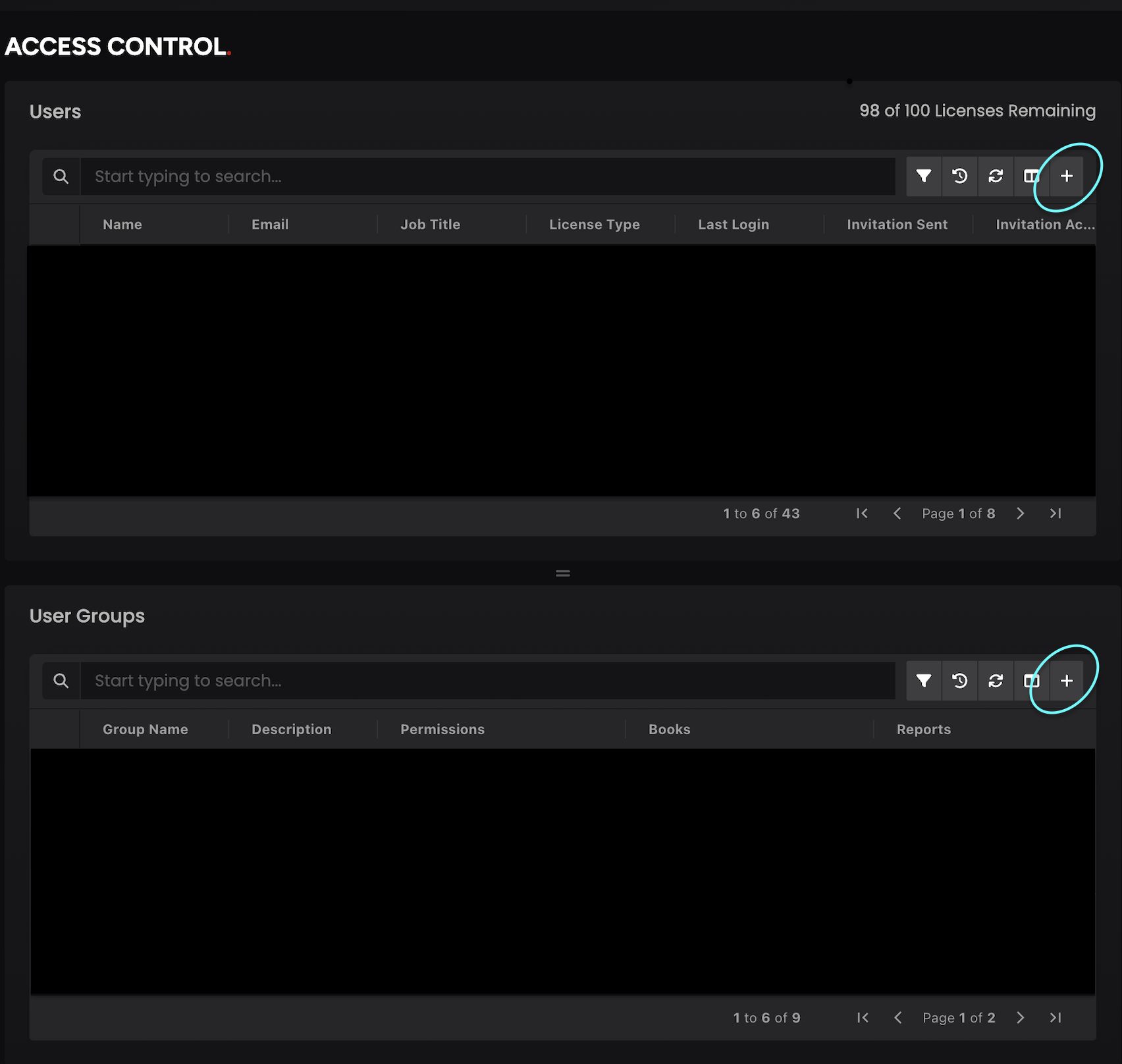
The Access Control screen is designed for administrators with **User Admin** permission to manage user access and permissions for their team members within the app. This interface allows administrators to control:
1. User permission to app features
2. Access to specific books
3. Access to reports
4. Individual and group-based permissions
#### Individual User Access
Individual permissions can be granted directly to users through the Users card. These permissions are specific to the individual user and can be managed independently of any group memberships.
#### Adding a new user
1. Navigate to the Users grid on the Access Control screen
2. Click the "Add User" (**`+`**) button
3. Fill in the required user information (Name, title, email - only specific domains allowed)
4. Select the appropriate individual permissions:
1. Feature permissions
2. Book access
3. Report access
4. Add to an existing User Group
5. Save the user profile
#### Group Based Access
Permissions can be assigned to group of individuals through the User Group card. All members of a group automatically inherit the group's permissions. Important notes about group permissions:
* Group permissions are additive to individual permissions
* Users can receive permissions from multiple groups
* Group permissions do not override or replace individual permissions
#### Adding a New Group
1. Locate the User Group grid on the screen
2. Click "Create New Group" (**`+`**) button
3. Enter the group name and description
4. Set group-wide permissions:
1. Feature Permissions
2. Book access
3. Report access
4. Add individual users to the group
5. Save the group
#### Notes**:**
* Administrators can view **a comprehensive permissions snapshot** for any user by clicking on three dots next to any user to **Edit** that user, which displays:
* Individual permissions directly assigned to the user
* Inherited permissions from group memberships
* Regularly review group memberships to ensure appropriate access levels
* Consider using groups for sets of permissions that frequently need to be assigned together
* Audit individual permissions when users change roles or responsibilities
* Remember that group permissions supplement, not replace, individual permissions
---
# Agent Instructions: Querying This Documentation
If you need additional information that is not directly available in this page, you can query the documentation dynamically by asking a question.
Perform an HTTP GET request on the current page URL with the `ask` query parameter:
```
GET https://help.molecule.io/onboarding/welcome-and-getting-started/access-control-users-and-groups.md?ask=
```
The question should be specific, self-contained, and written in natural language.
The response will contain a direct answer to the question and relevant excerpts and sources from the documentation.
Use this mechanism when the answer is not explicitly present in the current page, you need clarification or additional context, or you want to retrieve related documentation sections.