Park and Loan Trade Entry
Last updated: May 15, 2026
Molecule supports a dedicated trade entry form designed to facilitate capturing natural gas park and loan deals. The purpose of this entry form is to create both sides of a park and loan deal from a single trade entry.
Trade products require a special configuration to enable this dedicated entry form. Contact our CS team to be provided a list of products enabled for park and loan entry or to have new products created.
Trade Entry
Select a Product
Trade entry begins like all other entry in Molecule, by selecting a product.
Use the Park and Loan Form (When Enabled)
When a product is selected that is enabled for park and loan deal entry, the form provides two sets of dates and price. This allows the user to specify:
Dates and price of the initial injection into or withdrawal from the pipeline.
Dates and price of the subsequent return from or to the pipeline.

Save to Create Two Trades
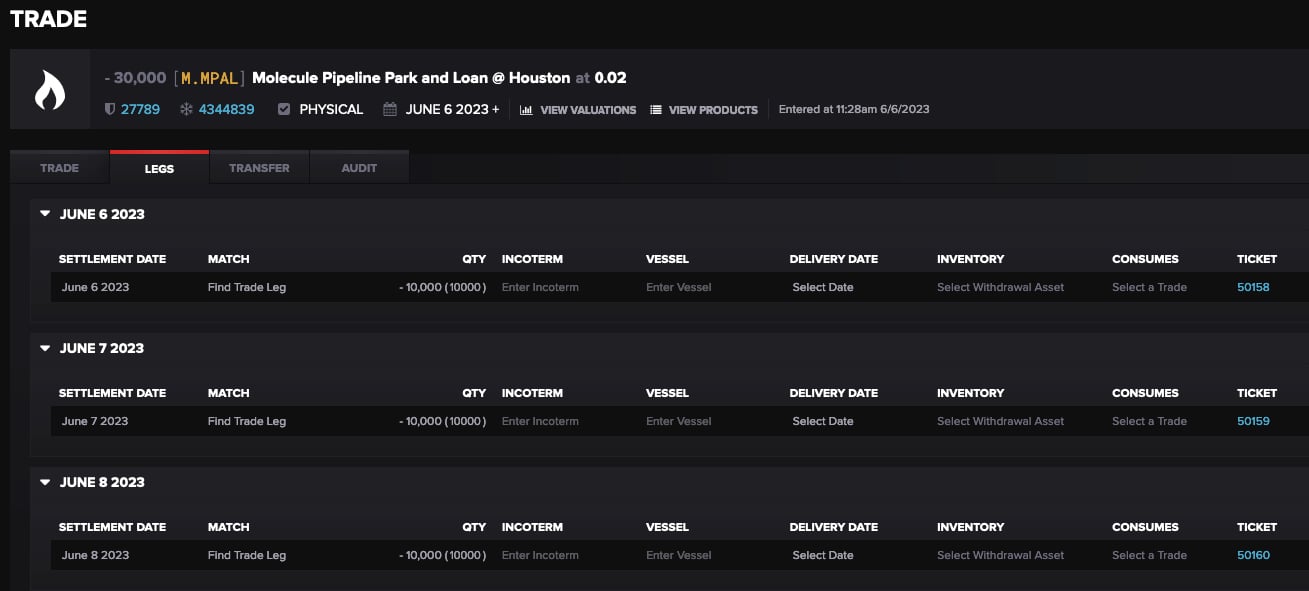
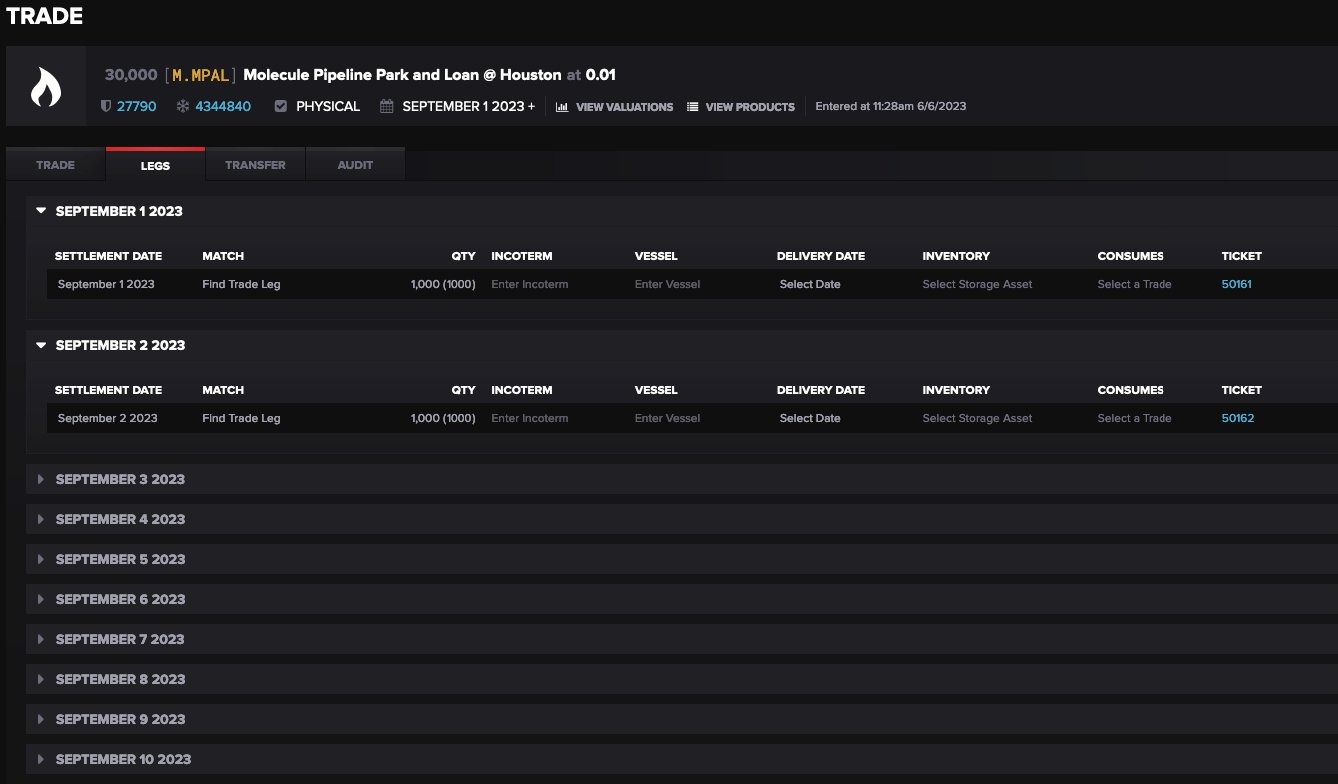
Saving the trade entry creates two new trades representing both sides of the park and loan:

Trades and Delivery Tickets
The two trades have the trade entry quantity split evenly across legs for each calendar day of the periods selected.
Each leg automatically creates a delivery ticket which can be actualized to reflect the actual gas movement.