Keeping Custom Reports Up to Date When You Add or Rename Books, Assets, and Products
Last updated: July 1, 2026
A custom report is a report Molecule built for your account to your specifications — and, importantly, it isn't dynamic. It references a fixed set of books, assets, and products as defined when it was built, so when you add or rename one of those later, the report doesn't update itself. This article explains that mental model, what to do (and what to send) when your structure changes, and the one rename that can quietly break a report if you're not careful.
How custom reports handle new entities
The single most useful thing to understand: a custom report is not dynamic. It was built against a specific, known set of entities — a fixed list of the books, assets, and products it was designed to cover — and it reports on exactly those. Anything that wasn't on that list when the report was built simply won't appear in it.
So when you add a new book (a grouping you organize trades and P&L under), a new asset, or a new product, your existing custom report won't pick it up on its own. The report has to be updated by Molecule to include the new entity. There's no setting on your side that makes a custom report start tracking something new automatically — that's the difference between a custom report and a live screen view (more on that below).
This one fact explains most surprises in this area: the new book that's "missing" from the Daily P&L report, the new asset whose P&L "isn't showing up," the restructured desk that "broke" a month-end report. In each case the report is doing exactly what it was built to do — report on its original, fixed list — and it needs an update to reflect the change.
When you add a new book, asset, or product
The new entity won't appear in an existing custom report until Molecule updates the report. To request that, contact support with:
the exact report name as it appears in your reports list, and
exactly what to change — for example, "add new book X and new asset Y to the Daily P&L custom report."
A few things to set expectations honestly:
This isn't self-service. You can't edit a custom report's logic, filters, or entity list yourself — custom reports are built and maintained by Molecule. Updating one is coordinated by Molecule's Solution Architect team — for a simple addition (a new book, asset, or product) this is often a direct change to the report in our reporting tool, while larger restructures may also involve our engineering team.
Plan ahead — it's not a same-day change. Custom report updates aren't covered by the standard support SLAs, and the team will scope the work and confirm a timeline before starting. Don't count on an overnight turnaround, especially near month-end.
Best practice: ask early. When you know a structural change is coming — a new book going live, new assets onboarding — send the report-update request at the same time, so the report is ready when the entity starts trading. That beats discovering the gap during month-end close.
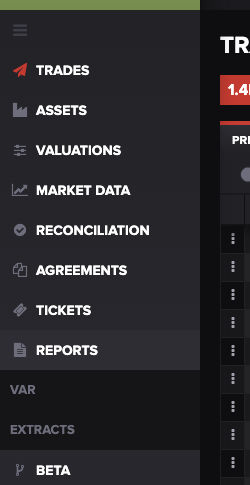
Your custom reports live under Reports in the left navigation — open it to find your reports list and copy the exact report name to send support. Alt text: The Molecule left navigation with the Reports section highlighted.
Renames and restructuring (read before you rename anything)
Adding entities is additive and low-risk. Renaming is where reports can break — and one rename in particular is high-impact:
Don't rename a product short name on a live product without checking first. A product short name is the short identifier a product is known by. If you change the short name of a product that already has active trades against it, it can break reporting and custom reports and any external system — a BI tool, a spreadsheet, a downstream integration — that references that product by its short name. The old name stops matching, and everything keyed on it stops finding the product.
Wherever possible, avoid renaming product short names on live products.
If a rename is genuinely necessary, contact support first so the full downstream impact — custom reports, extracts, and any integrations keyed on the old name — can be assessed and updated together, rather than breaking the moment you save.
Restructuring books (renaming them or moving trades between them) is less catastrophic but still matters: a report built around your old book structure may not include a renamed book, or may show P&L grouped the way it used to be, until the report is updated. If you're reorganizing books, treat it like any other structural change — tell support what changed so the report can be brought back in line.
Custom reports vs. your own saved views
It's easy to confuse two different things. On the Valuations screen, you can create saved views — your own arrangements of columns, filters, and groupings — and that is self-service: you can add a column or adjust a filter on a saved view yourself, and it reflects your current data live. A custom report is different: it's a fixed, Molecule-built report you can't edit. So "I added a column to my saved view" is something you can do; "I edited my custom report" is not. If what you need is a quick column or filter change on a live view, the Valuations screen may already do it — see "How to Use the Valuations Screen."
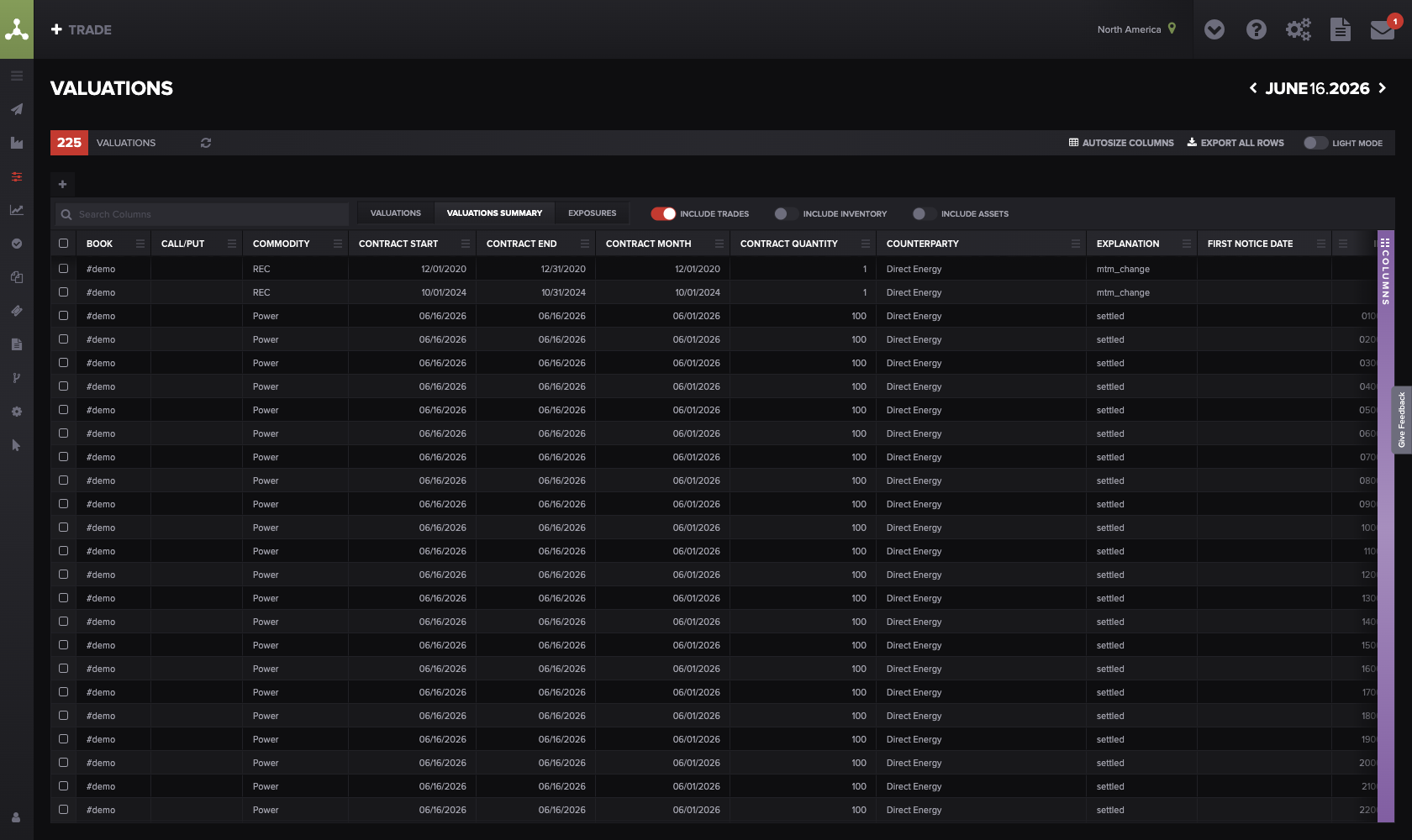
Saved views on the Valuations screen are self-serve — unlike custom reports, you can change their columns and filters yourself. Alt text: The Molecule Valuations screen showing saved-view tabs and column/filter controls.
What to send support
To get a custom report updated in one round-trip, include:
the exact custom report name (as it appears in your reports list);
exactly what to change — which new book(s), asset(s), or product(s) to add, or which rename/restructure happened;
when the change takes effect / when you need the report updated by;
whether this is additive (a new entity) or a restructure (renames, moved books) — a restructure may require more rework;
if a rename already happened and a report or integration broke, say so explicitly and include the old and new names .
FAQ
I added a new book — why isn't it in my report?
Because custom reports aren't dynamic — they report on the fixed set of entities they were built for. A new book won't appear until Molecule updates the report. Send support the report name and ask to add the new book.
Can I add the new asset to the report myself?
No. Custom reports are built and maintained by Molecule; you can't edit their logic or entity list. The self-serve option is a saved view on the Valuations screen — you can add columns and filters there yourself, but that's separate from your custom report.
I renamed a product and my report broke — what happened?
Renaming the short name of a live product (one with active trades) breaks anything keyed on the old name — reporting, custom reports, and external systems like BI tools or integrations. Contact support with the old and new names so the references can be fixed, and going forward, check with support before renaming a live product's short name.
How long does a report update take?
There's no fixed turnaround — custom report updates aren't covered by the standard support SLAs and involve Molecule's solution-architecture team (and engineering for larger rework), who scope the work and confirm a timeline first. The practical takeaway: plan ahead rather than expecting same-day.
How do I avoid this at month-end?
Send the update request as soon as you know a change is coming — a new book going live, new assets onboarding — rather than waiting. That way the report is ready when the entity starts trading, instead of turning into a surprise during close.
Related articles
If you're still stuck after the checklist above, contact support@molecule.io with the details listed in "If none of these explain it."