Molecule API Endpoints: Parameters and Response Semantics You Should Know
Last updated: July 1, 2026
Molecule's API endpoints and their full parameter lists live in the API documentation at developer.molecule.io. What that spec doesn't collect in one place are the cross-cutting behaviors — how date filters and ranges work, what include= options actually add, how pagination behaves, and how to read the response shape — and those cause the most common API support threads. This article is that collection: the parameter and response semantics worth knowing before you read the spec. For task-framed pulls (today's valuations, trades for a range, getting data into a spreadsheet), see the API extraction-recipes article; this is the reference-style companion.
Before you start
The authoritative list of every endpoint and parameter is the API documentation at developer.molecule.io (password:
customer-of-molecule) — treat it as the source of truth for anything not covered here.Each request is authenticated with your API token, sent as request headers on every call. See "How to Generate an API Token" and "Getting Started with Molecule API" — this article doesn't re-cover auth.
Examples use the v2 base URL
https://app.molecule.io/api/v2(EU instances usehttps://eu.molecule.io/api/v2).
Date parameters and ranges
Most list endpoints filter by date — commonly as-of (the valuation or business date a row belongs to). Two rules cover almost everything.
Single date or inclusive range. A date parameter takes either a single date in YYYY-MM-DD form, or a range written with two dots — and both ends of a range are inclusive:
Single date:
GET /api/v2/valuations?as_of=YYYY-MM-DDRange:
GET /api/v2/valuations?as_of=YYYY-MM-DD..YYYY-MM-DD
A single date returns just that date — for example, as_of=2025-01-01 returns that one as-of, not all history. This is how you avoid accidentally pulling every historical date: pass the single date you want, or a bounded range.
A 400 on a date-driven call is almost always the date. If a required date is missing or malformed, the request returns 400 (malformed request) — there is no default or fallback date. Supply the date explicitly, in YYYY-MM-DD form, wherever it's required. (A 400 also appears if you combine items=all with page — see Pagination.)
include= options
The include= parameter expands the response with extra nested data — but what it adds is endpoint-specific, so don't assume one keyword works everywhere:
Legs — the individual delivery/pricing periods within a trade — come from a dedicated legs endpoint , not from an
include=parameter. CallGET /api/v2/legs?trade_id=Xto retrieve a trade's legs.legsis not a validinclude=value on the trades endpoint, soinclude=legsis silently ignored. (A subleg , referenced in some other contexts, is a further subdivision of a leg ; sublegs come fromGET /api/v2/legs/sublegs?trade_id=X.)GET /api/v2/legs?trade_id=X
include=extendedon valuations adds book, counterparty, and custom fields to each valuation row — fields that aren't in the default response.GET /api/v2/valuations?as_of=YYYY-MM-DD&include=extended
For any other include= value, or the complete catalog, check the API documentation rather than guessing — the keyword that works on one endpoint may not exist on another.
Pagination
List endpoints are paginated. The model is:
page=N— the page number, starting at 1 .items=N— records per page (also accepted asitems_per_page).items=all— return everything in one response. It cannot be combined withpage(doing so returns a 400).
Every paginated response includes an envelope with meta.total_records (the total matching records across all pages) and links.next (the URL of the next page). Follow links.next rather than constructing page URLs yourself — it's the reliable way to iterate.
Two practical limits:
items=allis risky on high-volume endpoints. A broad pull — for example, valuations over a multi-year range for a large portfolio — can return a very large payload and cause timeouts, especially for integration tools with execution-time limits. For large pulls, prefer paginated iteration followinglinks.next, chunk by smaller date ranges, and contact support for very high-volume use. (The extraction-recipes article covers this performance pattern in more detail.)Each endpoint has a maximum page size. The effective page size is the lower of what you request and the endpoint's maximum, so a single response won't exceed that cap. The specific per-endpoint maximums are in the API documentation.
Reading what comes back
A couple of response-shape facts prevent false alarms:
Rows can be leg/subleg-level or grouped , depending on the endpoint and your
include=options. The trades endpoint returns a parent trade with a single tenor range ; to get the individual legs, call the dedicated legs endpoint (GET /api/v2/legs?trade_id=X) ; valuation rows vary with thestatusfilter andinclude=. As a result, a raw row count won't always equal a count you see in the UI — that's expected, not a bug. (For reconciling an extract against the UI, see the P&L diagnosis article.)A mark (a market price for a product on a date) feeds valuation rows. Which mark was used is reported as the mark's source/level in the response, not as an internal record ID — to trace it, match the source/level and the as-of date against the marks endpoint.
Not covered here — check the spec
For anything outside the confirmed behaviors above, developer.molecule.io is authoritative — don't infer parameter names or defaults. In particular:
Public-trades filtering. Whether there's a dedicated parameter to include or exclude exchange/cleared trades visible across an account (versus your own trades), and what the default is, isn't something to assume . Confirm it against the API documentation or with support before relying on any behavior here.
The complete
include=catalog, the full parameter list per endpoint, and any endpoint not covered above — read them from the spec.
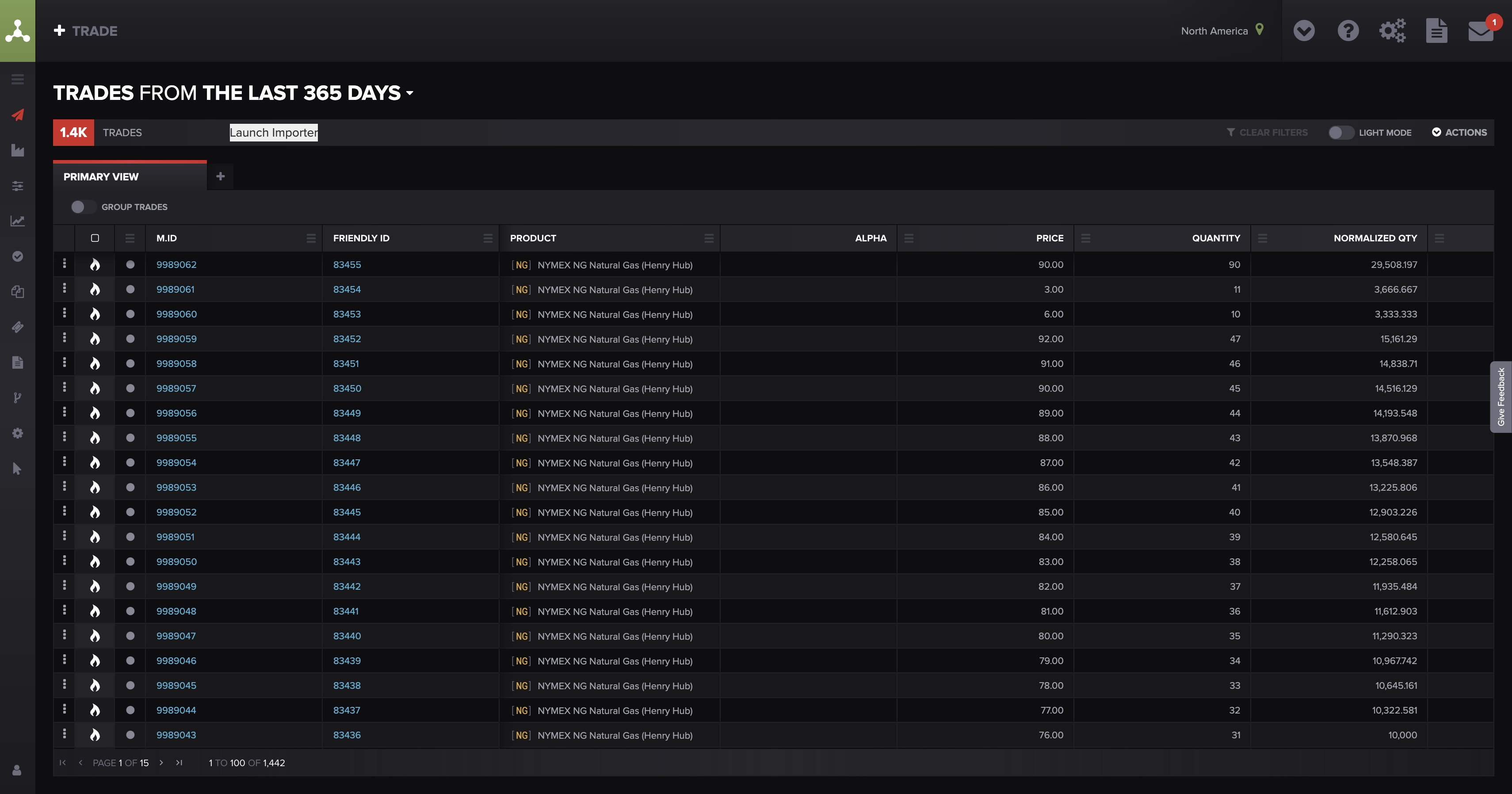
The Molecule Trades grid (alpha) Caption: The Molecule Trades grid in the alpha environment — the trades endpoint (GET /api/v2/trades) returns this parent-trade view; individual legs are pulled separately via GET /api/v2/legs?trade_id=X. Alt text: The Molecule alpha Trades grid showing parent trades with MG.ID, product, price, and quantity columns.
FAQ
I'm getting a 400 on a valuations or trades call — what's wrong?
Most often a missing or wrong-format date. Dates must be YYYY-MM-DD, and there's no default — supply the date explicitly. A 400 also appears if you combine items=all with page.
How do I get a trade's legs — is there a legs endpoint?
Yes — use the dedicated legs endpoint: GET /api/v2/legs?trade_id=X returns the legs (the individual delivery/pricing periods) for a trade. legs is not a valid include= value on the trades endpoint, so include=legs does nothing. For sublegs (settlement configs), use GET /api/v2/legs/sublegs?trade_id=X.
What does include=extended give me?
On valuations, it adds book, counterparty, and custom fields to each row — fields that aren't in the default response.
How do I page through a large result?
Use page (starting at 1) and items, and follow links.next from each response rather than building page URLs. Avoid items=all on big pulls — it can time out; chunk by date range instead.
How do I include or exclude public trades?
Confirm this against the API documentation or with support — don't assume a parameter or a default (see the note above).
My extract's row count doesn't match the UI — is that a bug?
No. Rows can be leg/subleg-level or grouped depending on the endpoint and include= options, so counts won't always line up. See the P&L diagnosis article for reconciling an extract against the UI.
Related articles
If you're still stuck after the checklist above, contact support@molecule.io with the details listed in "If none of these explain it."