My Valuation Isn't There or Isn't Updating: Troubleshooting Valuation Population and Refresh
Last updated: July 1, 2026
When a trade produces no valuation row at all, or a valuation is there but didn't refresh after you changed something — added a fee, uploaded a mark, amended the trade — the cause is usually one of a few things, and often the fix is a single resave. This article helps you tell which case you're in and what to do. If a valuation is present but the number looks wrong, that's a different problem — see the P&L diagnosis article. This article is about a valuation that's missing or stale.
Not covered here
A valuation that's present but the number looks wrong (screen vs extract, marks are per product, book moves) → see the P&L diagnosis article.
Stale or missing price marks in general, and the manual-mark upload → see the vendor stale-prices article and "Mark Levels."
An option showing zero, blank, or no Greeks → see the option missing-mark/volatility article (options have an extra volatility dependency).
Three reasons a valuation is missing or blank
Behind the scenes, the valuation engine either finishes producing a value for a trade or it doesn't — and that splits "my valuation isn't there" into three cases. You usually can't see the engine's internal state directly, so use this as a reasoning guide:
The valuation couldn't complete — almost always missing market data. There's no applicable mark (a market price for a product on a date) for that product and as-of date (the valuation date), so the engine can't produce a value. This is the most common cause of "no valuation."
The valuation completed, but a leg or configuration issue blocked a meaningful value. This is a setup problem on the trade or product. If you can't spot an obvious cause, escalate to support.
A value exists, but the Valuations page looks blank — a display or filter issue. The data is there; your current filters, columns, or view settings are hiding it.
Why a valuation doesn't populate
If no valuation row appears at all, walk these in order:
No market data for the as-of date. A valuation is produced only when market data exists for the trade's relevant products (the products a trade needs priced). No mark for that product and date means no row — the engine doesn't guess. To resolve it, load the mark: see "Valuation & Relevant Products" for the trigger concept, and "Mark Levels" or the vendor stale-prices article.
A filter, column, or search setting is hiding the row — not an "active valuation window." Expired trades are not removed from the Valuations screen: the backend applies no filter to exclude them, and an Expired column (hidden by default) flags them. So when a row is missing, it is far more often a column-visibility, filter, or quick-search setting hiding data that is actually present than the trade being "out of window." Reset filters and restore column visibility before concluding the valuation doesn't exist; for a full historical view across reporting periods, use the YTD Valuations export. (Whether forward-starting trades appear before they become active is a separate question — confirm with an SME before stating it.)
A brand-new product without a mark configured. If the product was just set up and no mark or curve is feeding it yet, valuations won't populate until that's in place — see the new-product request article.
A leg or configuration issue on the trade (cause 2 above). If nothing obvious is wrong, escalate.
Why a valuation doesn't update — and the resave fix
In most cases you don't need to do anything. Molecule re-queues valuation automatically when:
a mark is saved or updated for a product the trade uses,
a trade is amended, cloned, or split,
an actualization is saved, or
a fee is added or changed.
Because this runs in the background, there's a short window between your change and the refreshed value. Under normal load it completes within a few minutes.
If it's still stale after ~10–15 minutes:
Confirm the change actually landed — for example, that the mark really saved into market data (check its source and date).
Resave the trade to force a recompute. A resave means opening the trade in edit mode, making no changes, and saving. This rebuilds and re-runs the valuation for that trade's settlement entries (the daily P&L rows). Values typically refresh within a few minutes.
API caveat. A trade updated through the API may not always trigger the same recompute path as a save in the interface. If an API-updated trade looks stale, a resave in the interface forces it.
Many trades at once. Resaving each one is impractical at scale — that's a support-side bulk reprocess. Contact support with the affected products or trades.
⚠ Don't casually resave a P&S-matched trade. Resaving a P&S-matched trade destroys the P&S match, with no automatic restoration. If the trade has been closed with P&S, see the option-expiry/exercise/P&S article before resaving.
Resaving a trade to force a recompute
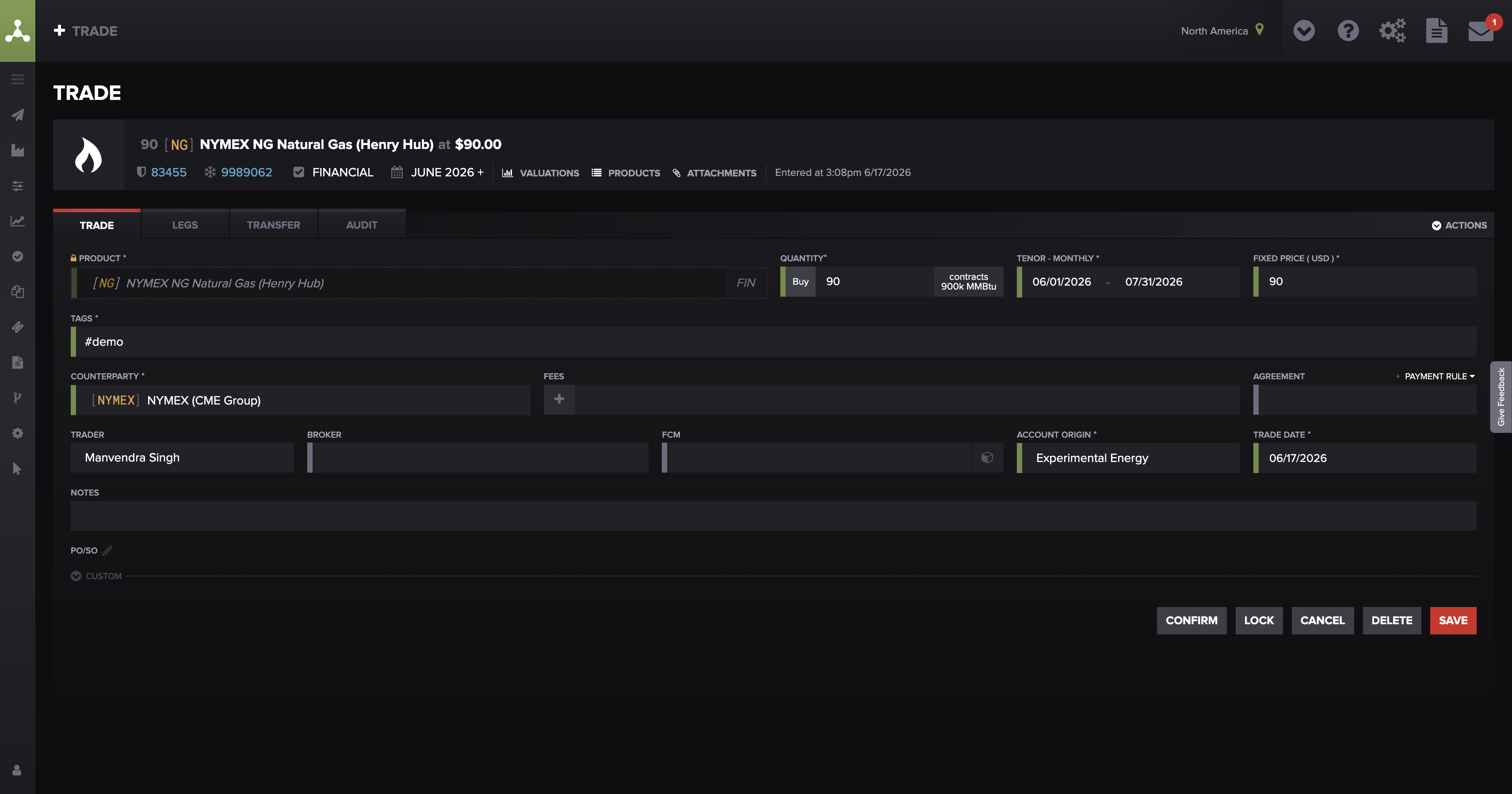
A resave — open the trade in edit mode and save with no changes — rebuilds and re-runs its valuation, usually within a few minutes.
New or manually entered trades
Saving a new trade triggers its valuation automatically — there's no need to "press save" on each one repeatedly. If a new or manual trade doesn't value, it's almost always cause 1 — no mark for that product and as-of date — not a missing step. Confirm a mark exists for the product and date; if it does and the row is still missing after a few minutes, resave once.
Is it current or stale?
It's natural to want a "last updated" stamp. In practice, the reliable way to check currency isn't a refresh timestamp — it's the mark source and date feeding the valuation: if the mark is the current one for that as-of date, the valuation reflects it. See "Mark Levels" and the P&L diagnosis article's mark-source check.
A blank Valuations page with active filters
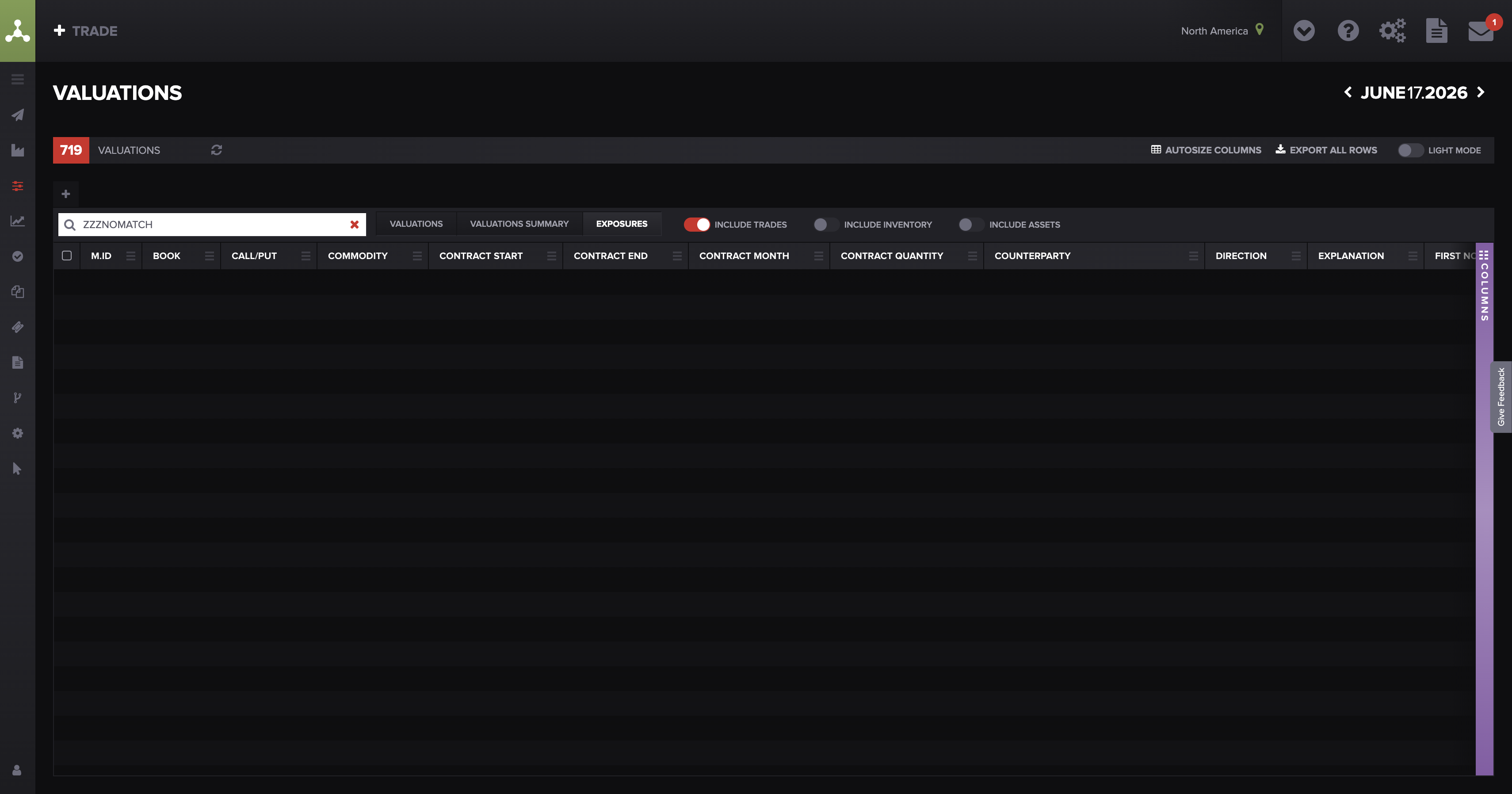
An empty Valuations page is often a filter, column, or search setting hiding present data — clear filters before assuming the valuation is missing.
What to send support
If the self-checks don't resolve it, send support:
the trade ID(s) and the as-of date with the missing or stale valuation,
whether no row appears versus a row exists but looks stale/blank ,
whether a mark exists for that product and date (and its source/date if you can see it),
whether you've already resaved and waited a few minutes,
whether the trade was updated via API, is newly created, or recently expired, and
whether it's one trade or many on the same product (one-off vs systemic).
FAQ
I entered a trade but there's no valuation — why?
Almost always because there's no mark for that product and as-of date yet. A valuation is produced only when market data exists for the trade's products. Load the mark for that date; if the row is still missing after a few minutes, resave once.
I uploaded a mark but the value didn't change — what do I do?
Give it a few minutes — the recompute runs in the background. If it's still stale after ~10–15 minutes, confirm the mark actually saved into market data, then resave the trade (open it in edit mode and save).
Do I have to resave every trade to get valuations?
No. Saving a trade triggers its valuation, and marks, amendments, and fees re-queue it automatically. Resave only when a valuation is still stale after a change and a short wait.
My Valuations page is blank but I expected rows — why?
Almost always a display setting hiding present data — a column-visibility, filter, or quick-search setting on the grid. Expired trades are not removed from the Valuations screen (the backend applies no filter to exclude them; the Expired column simply ships hidden by default), so don't assume a blank screen means trades have dropped out of an "active window." Check your filters, column visibility, and the search box first — see "How to Use the Valuations Screen." (Whether forward-starting trades appear before they become active is a separate question — confirm with an SME.)
How do I know if a valuation is up to date?
Check the mark source and date feeding it, rather than looking for a refresh timestamp — there isn't a confirmed customer-facing last-updated stamp. If the mark is the current one for that as-of date, the valuation reflects it. See "Mark Levels."
Related articles
Editor: hyperlink each of these to its help.molecule.io article before publishing (URLs to be confirmed once web access is restored).
If you're still stuck after the checklist above, contact support@molecule.io with the details listed in "If none of these explain it."